
Window recovery & crash protection
Hiding a window essentially makes it invisible. If something goes wrong — you forget the hotkey, or the core exits unexpectedly — could a window be lost "forever"? ZoneDeck prevents that with both a manual tool and automatic safeguards.
The window recovery tool
The window recovery tool finds windows that were hidden by mistake and cannot be restored with a hotkey.
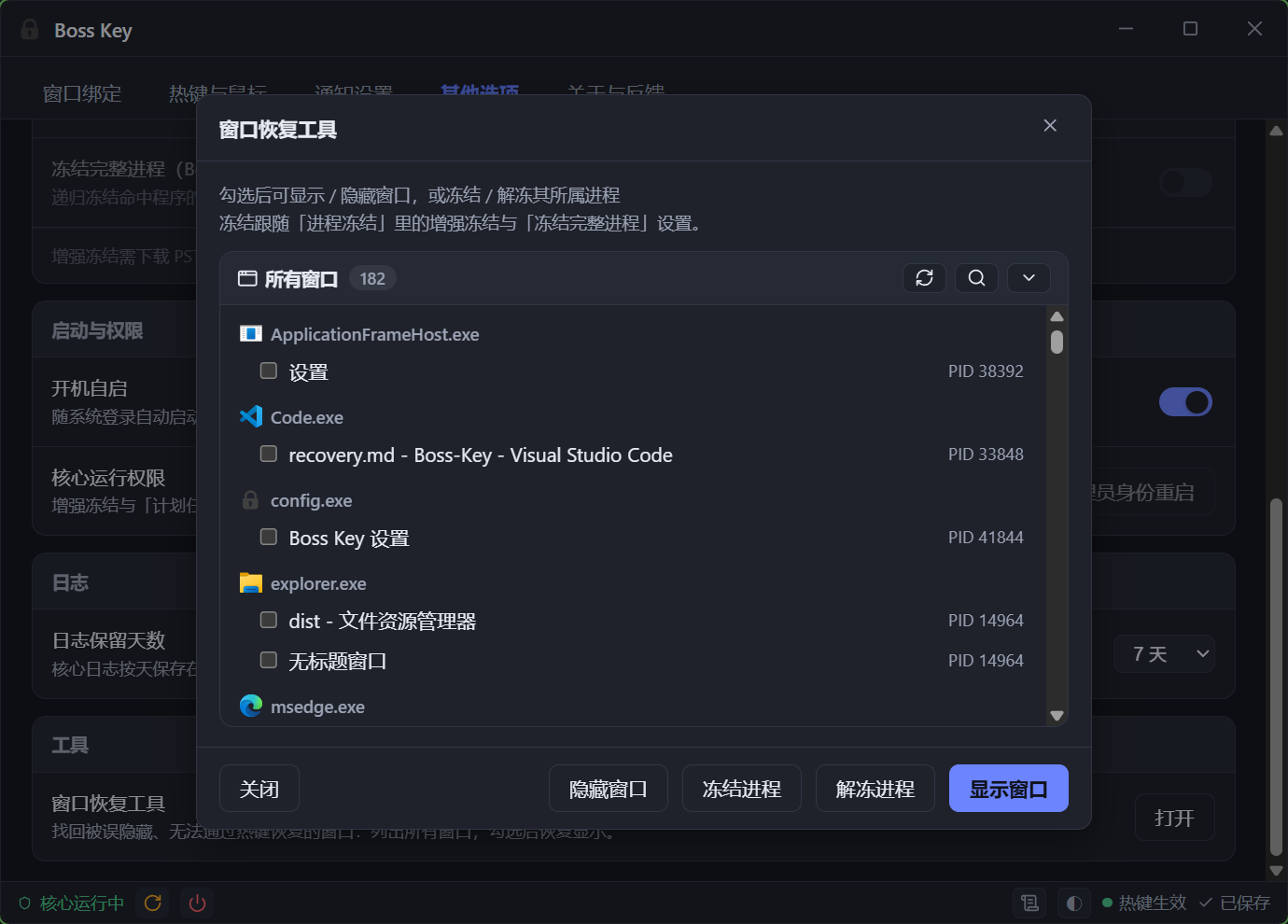
To open it: Settings window → General → Tools → Window recovery tool, or tray menu → Window Recovery Tool.
The tool lists every window on the system (including currently invisible ones). Tick the windows you want back and click "Show windows" to make them visible again.
The tool can also freeze / resume windows' processes. A frozen window stops rendering, which lowers resource usage. Frozen windows can still be recovered with the tool.
While the core is running, the tool's show / hide operations are carried out by the core: manually hidden windows are covered by crash recovery too, and restoring a window also unfreezes and unmutes its process. When the core is not running, the tool operates on windows directly.
Three layers of defence
The ZoneDeck core has three layers of crash self-healing, so windows stay safe even if the program crashes.
Layer 1: crash logs
The core writes key events and panic information to log files in the logs folder of the data folder, rotated daily as ZoneDeck-YYYY-MM-DD.log, and cleaned up automatically according to the log retention setting (set it to off to disable logging). How much gets recorded depends on the log level, which by default keeps warnings and errors only. When troubleshooting, read the current day's log first.
Layer 2: crash recovery
Each time windows are hidden, the core records which windows were hidden and which processes were frozen or muted into recovery.json, and deletes the file on a normal restore or exit.
If that file still exists when the core restarts, the previous run exited abnormally. The core then checks the recorded windows one by one:
- Everything matches: your intent has not changed, so the windows stay hidden. The core takes the records over and your hotkey restores them as usual.
- Some records no longer match (the window is gone, the handle was recycled to a different window, or something already showed it): those records are dropped, the core will not touch whatever that handle now points at, and it writes a warning to the log and shows you a notification.
- Not a single window could be taken over: that round of hiding is no longer in effect, so the core resumes, unmutes and un-throttles whatever processes are still alive instead of leaving them stuck.
Layer 3: the scheduled task
When startup is registered as a scheduled task, it carries a restart-on-failure policy (automatic restart within about a minute of a crash, up to 3 times). Core crashes → the scheduled task restarts it → layer 2 then takes the hidden-window records over, closing the loop.
Related files
| File | Location | Purpose |
|---|---|---|
config.json | Data folder | All your settings and bindings |
logs/ZoneDeck-YYYY-MM-DD.log | Data folder | Crash / event logs (rotated daily, cleaned up per the retention setting) |
recovery.json | Data folder | Snapshot of the hidden state, used for crash recovery (deleted on a normal exit) |
Where the data folder is
Inside the program folder for a portable copy, in %APPDATA%\ZoneDeck for an installed one (see Where the data lives). A portable copy also switches to %APPDATA%\ZoneDeck when its folder is not writable. The Open log folder button in the settings window's status bar always opens the folder actually in use, and the log records it on every start.
Do not delete recovery.json while it is in use
Deleting recovery.json by hand while windows are hidden loses that snapshot, and with it the crash recovery for this run.